Payslip Generation System

Take Control of Payslip Generation — Without Complicated Payroll Software

Generate professional PDF payslips for up to 50 employees in minutes using a simple, structured Excel-based system built for small Indian businesses.

Works on Windows laptops only. Not supported on Mac.

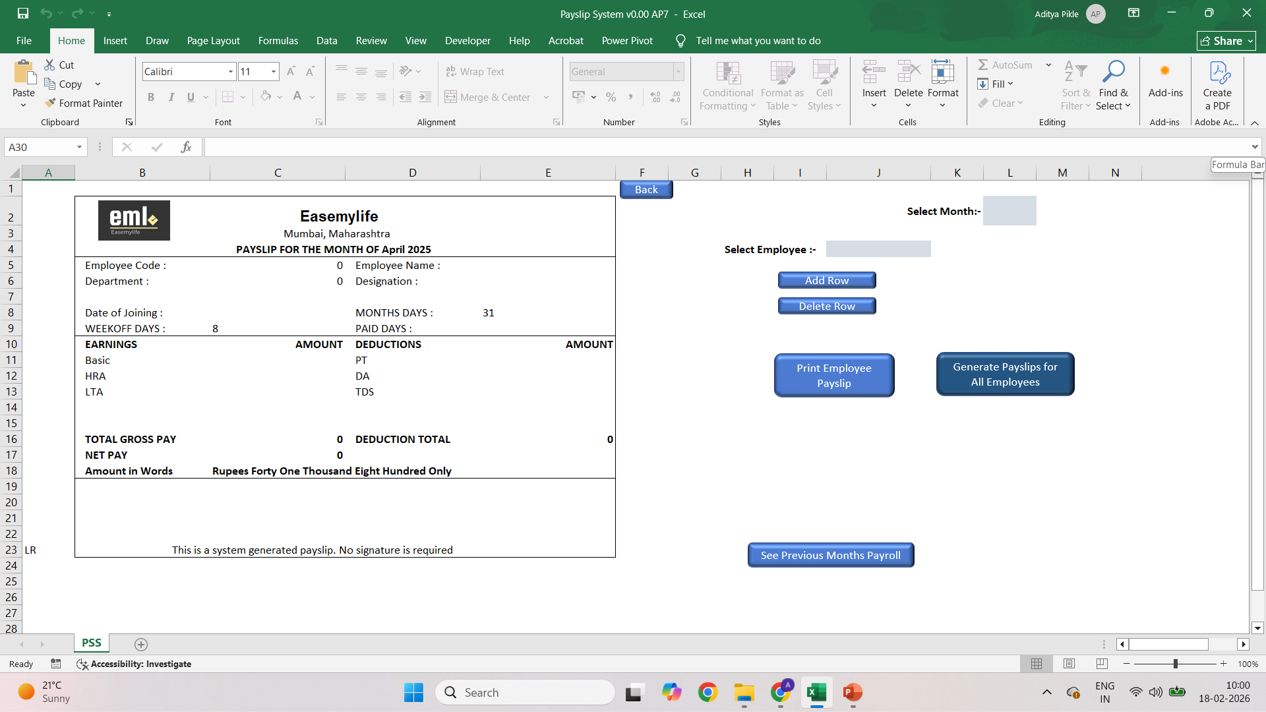
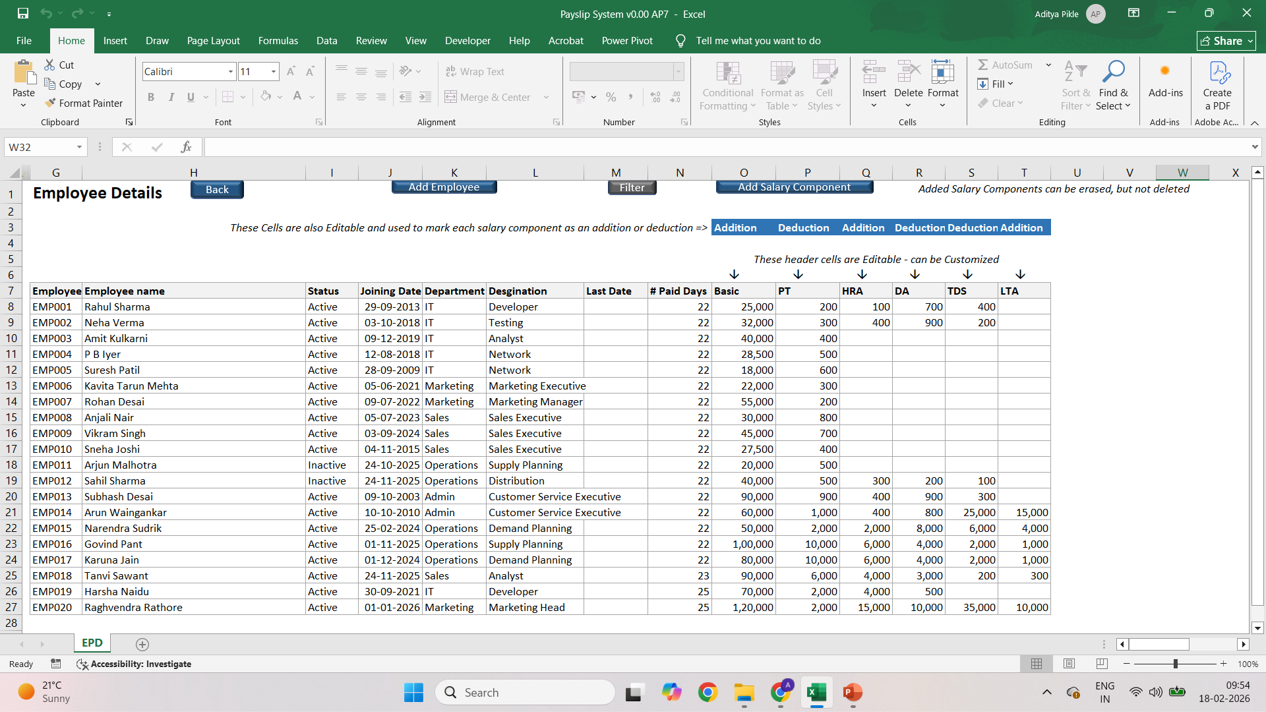
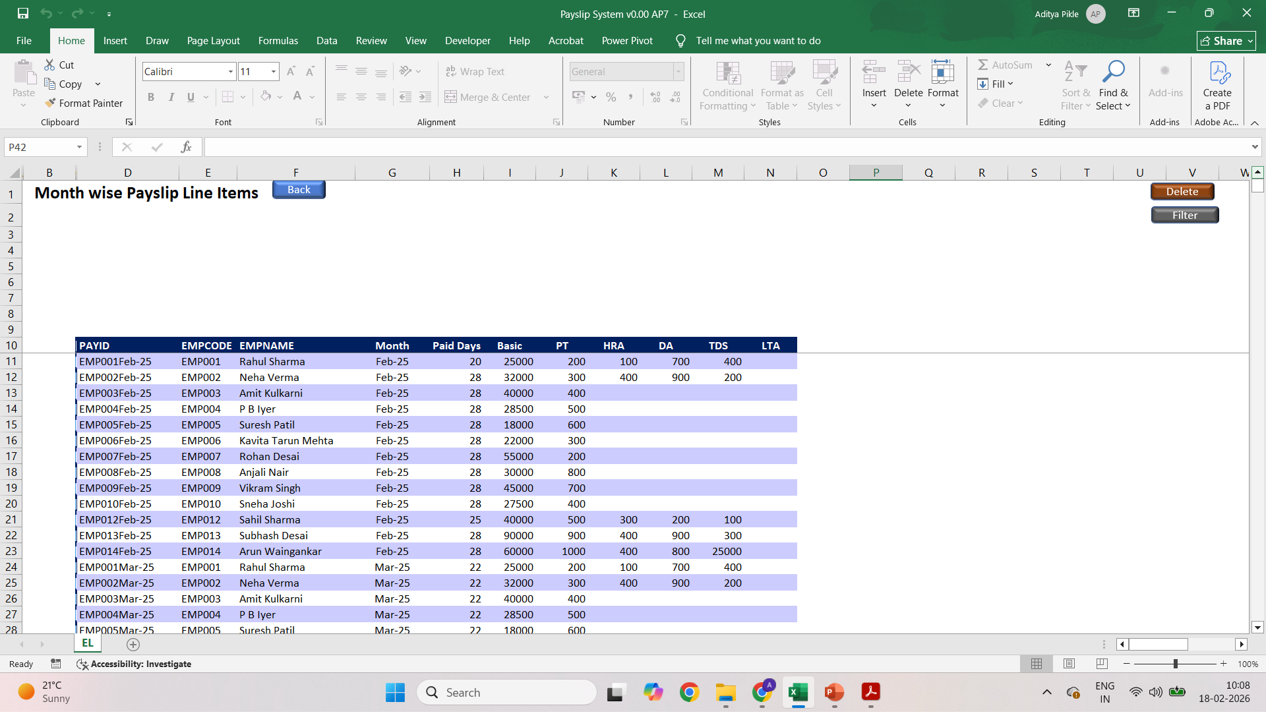
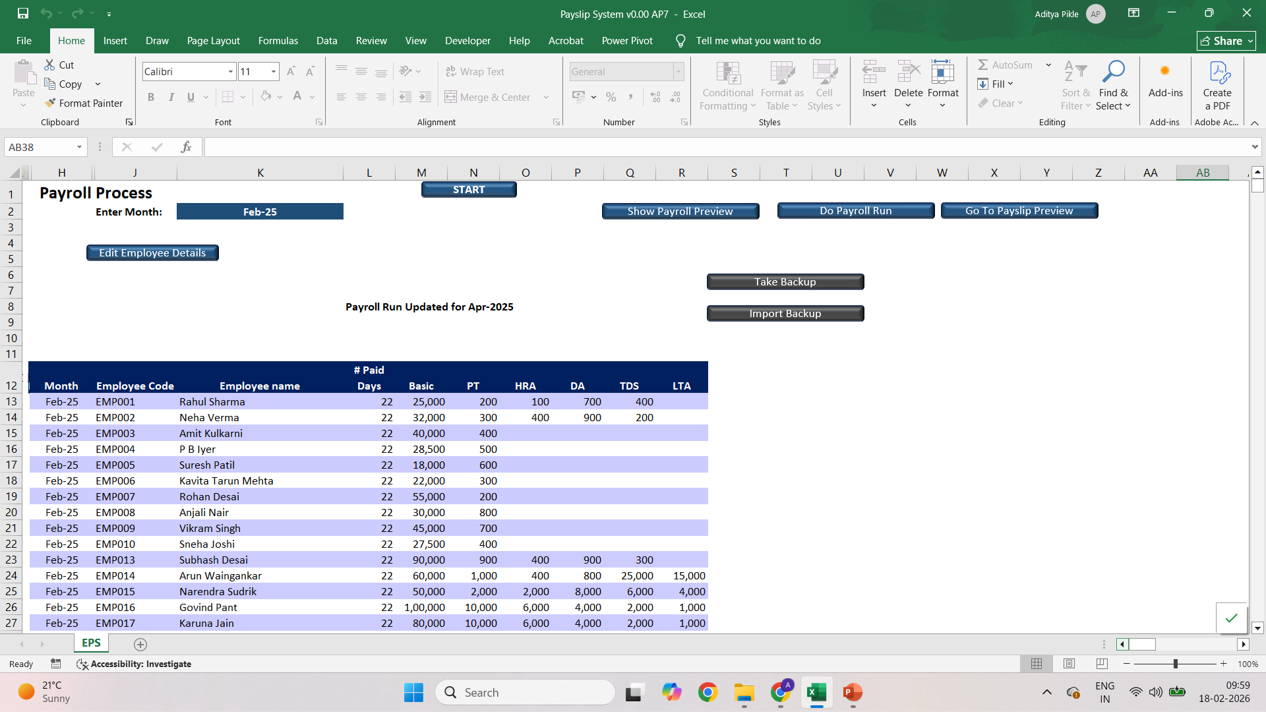
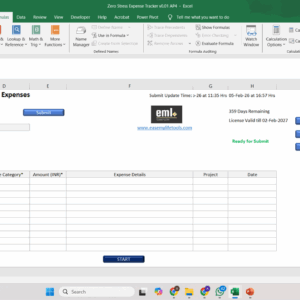
What Your Expense Report Will Look Like

This tool gives you:

  • ✅ One-click PDF generation
  • ✅ Centralised employee master sheet
  • ✅ Month-wise storage & instant reprint
  • ✅ Employee self-access via URL
  • ✅ No complex HR software

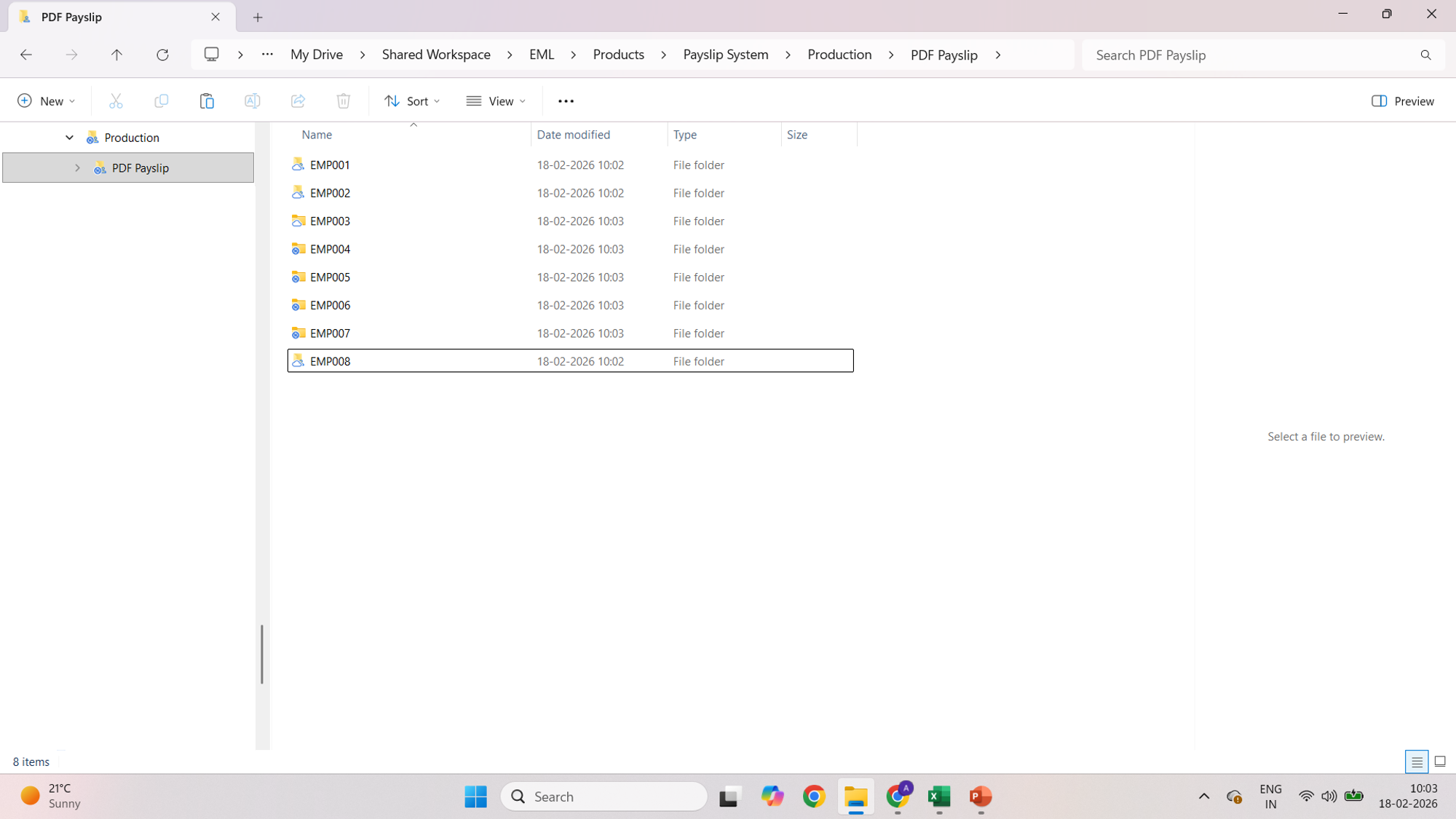
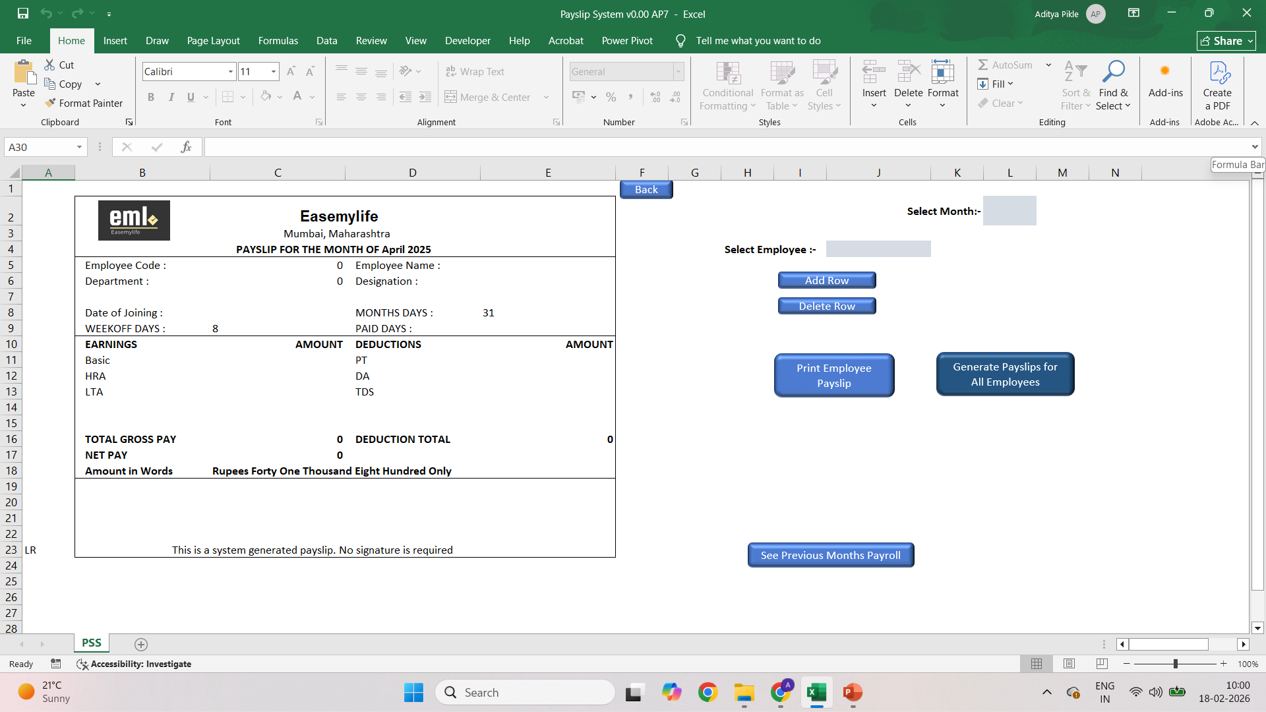
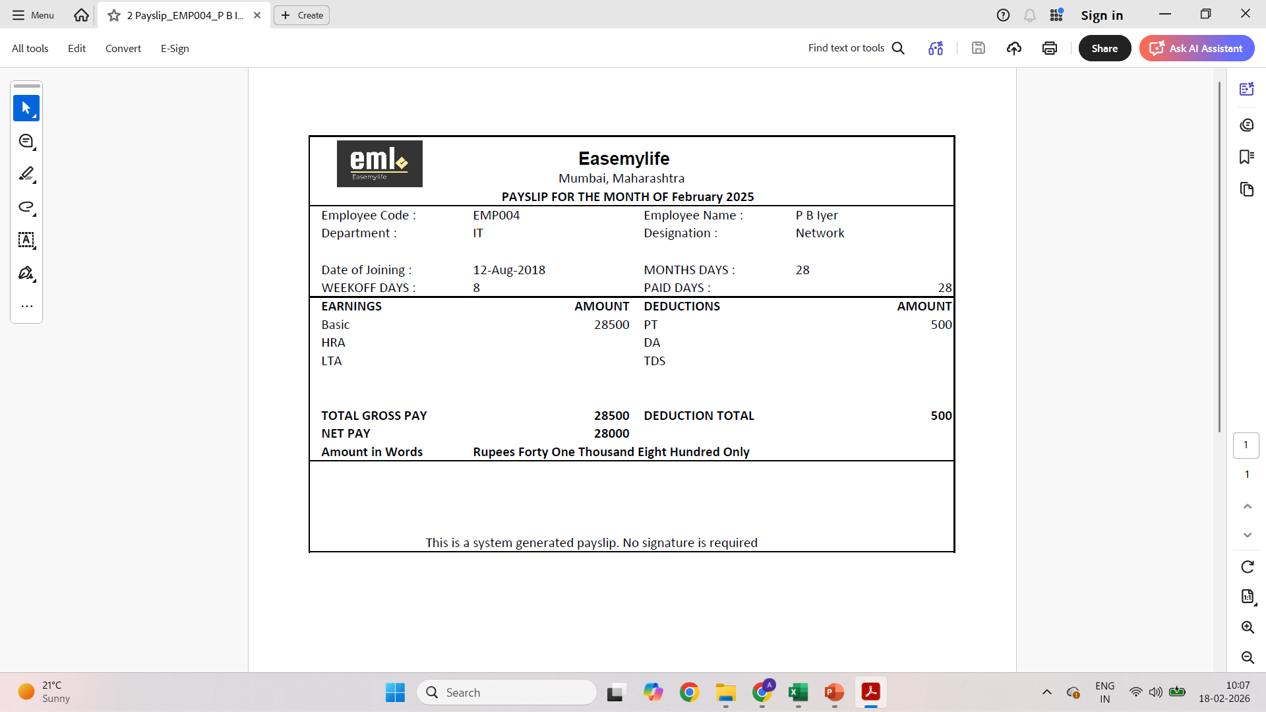
This is exactly what your payslip system will look like once you start using the tool.


Price range: ₹500.00 through ₹5,000.00

Who It’s For

Designed specifically for small Indian businesses managing 2–50 employees.

This is ideal for:

  • HR Executives
  • Admin Officers
  • Office Managers
  • Small Business Owners
  • Accounts Executives handling payroll
  • Who use a Windows laptop for your work
  • Work primarily on one laptop

If you currently manage payroll in spreadsheets and want structure without moving to heavy HR software, this system fits you.

Problems It Solves

If this sounds familiar, you’re in the right place:

  • Spending 1–2 hours every month generating payslips
  • Editing salary components manually for each employee
  • Copying old files and renaming them every month
  • Double-checking formulas repeatedly
  • Searching folders when someone asks for an old payslip
  • Emailing payslips one by one
  • Worrying about making a salary mistake

Payroll should not feel chaotic.

You don’t need more software.
You need structure.

Key Features & Benefits

🗂 Centralised Employee Master Sheet

Manage all employee salary data in one structured location. No scattered files. No confusion.

⚙️ Controlled Salary Component Structure

Add or modify salary components cleanly without breaking formulas or formats.

📄 One-Click PDF Payslip Generation

Generate professional PDF payslips for multiple employees instantly. Save hours every month.

📁 Automatic Month-Wise Storage

Each payroll cycle is saved in organised folders for easy tracking and instant reprint.

🔁 Instant Reprint Capability

Need a payslip from six months ago? Reprint in seconds.

🌐 Employee Self-Access via URL

Give employees access to their payslips without manual emailing.

🧠 Structured System (Not a Free Template)

This is not a random spreadsheet. It is a controlled payroll system built inside Excel.

How It Works

Getting started takes just a few minutes:

Step 1: Download & Activate

  • Download the file.
  • Unblock it.
  • Enable macros.
  • Enter your license details.
  • Activate the Product

Short 1–2 minute videos are available on the Home page showing these steps clearly. To access the vidoes click HERE

Step 2: Run Payroll in Minutes

  • Enter employee salary details into the master sheet.
  • Update paid days for the month.
  • Preview and Run Payroll.
  • Generate PDF payslips for All Employees.

Follow the demo videos on this page to see how to use the product.

Subscription Details & Pricing

Monthly Access:

Suitable if you want short-term or limited-period usage.

Yearly Access:

Best value if you track expenses throughout the year.

Renewals are manual.
Your access validity and remaining days are clearly visible while you use the tool.

Internet is required only for activating the tool.
After activation, the tool works inside Excel on Windows.

More information on subscription, license and activation are in the FAQs section of the Home Page which can be accessed by clicking here

License Usage

Each license is linked to:

  • One email ID
  • One Windows laptop at a time

The tool will not work on multiple laptops simultaneously and is not supported on Mac.

If you need to change your laptop, you can contact the service desk and the license will be reset for you.

Once your license expires, you will need to purchase and enter a fresh license key in the tool and activate it to continue working with the tool.

What Your Access Includes

  • Use of the tool during your active access period
  • Access to newer versions released during that period
  • Improvements and refinements over time

Common Use Cases

  • Monthly salary processing for 2–50 employees in under 10 minutes

  • Managing different salary structures across multiple employees

  • Instantly reprinting historical payslips on request
  • Providing payroll records to founders or auditors quickly

  • Giving employees direct self-access to their payslips
  • Scaling payroll smoothly as headcount grows

  • Replacing scattered templates with one centralised payroll system

  • Standardising payslip format for a professional company image

Support

The tool is designed to work out of the box, but we will help you in setting up the system for the first time.

Even after that if you ever need:

  • Guidance for your specific use case
  • Custom changes or enhancements

Paid 1-on-1 support is available separately, only if required.

Launch Pricing (Limited) :

Available only up to 28-Mar-2026

Quick Demos

Additional information

Tenure

1 month, 12 months, Free 1 Month Trial

Reviews

There are no reviews yet.

Be the first to review “Payslip Generation System”

Your email address will not be published. Required fields are marked *

Limited-Time Launch Support

Just send a request with the subscription details on service@eml.net.in

  • Email
  • Product id
  • Times when you are available

We will send you a meeting link to setup a call to onboard you on your tool smoothly

Days
Hours
Minutes
Seconds

Lock in launch pricing before the timer runs out.

Once the launch window closes, this price will not return.

Related products

Book a Consultation

If you want personal guidance or help adapting the tracker to your situation :

Frequently Asked Questions

What are the system requirements?

Microsoft Excel 2016 or later (Windows recommended). Macros must be enabled.

Is my payroll data secure?

Yes. The file runs locally on your system. No cloud storage. No external database.

Is this full payroll software?

No. This is a structured payslip generation system. It does not automate statutory compliance like PF, ESI or TDS filings.

Do I need to install anything?

No installation required. Just download, unblock, and enable macros.

What are Excel macros and are they safe?

Macros are built-in Excel automation features. This file contains only the required code for payroll functionality. All Excel files downloaded from Easemylifetools are safe to use.

Can I cancel anytime?

No. The subscription cannot be cancelled.